


External Company
The 'External Company' feature lets you link external parties, such as staffing agencies, transport companies, or subcontractors, to your LesLinq environment. This allows you to include them in your reports and maintain oversight of compliance across everyone on site, not just your own employees.
Adding an external company
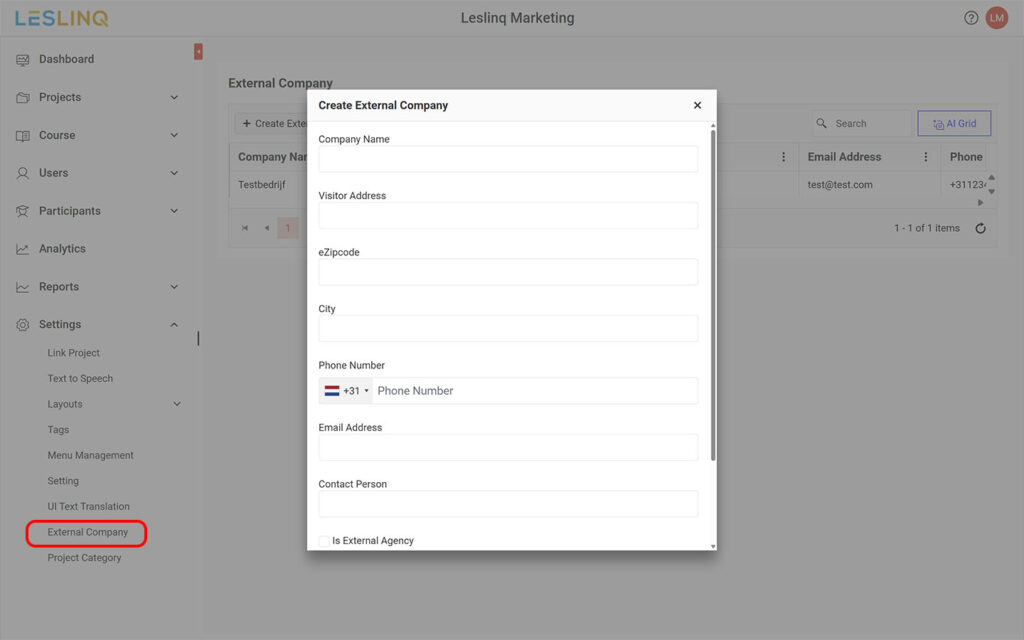
- Go to Settings and click 'External Company' in the submenu.
- Click the plus icon next to 'Create External Company'.
- Enter the details of the external company in the pop-up.
- Click 'Create' to save.
From this point on, the participants of this external company are visible in your reports. Per company, you can see how many participants are registered, how many trainings have been completed, and how many certificates have been issued.
Note: checking 'Is External Agency' grants the external company additional permissions. Read more about this below.
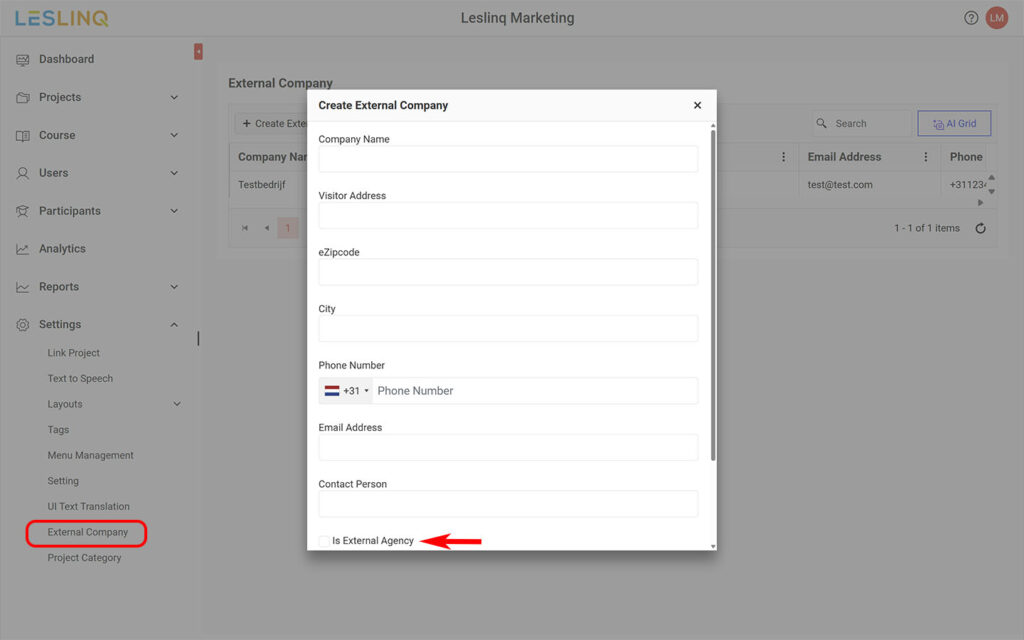
Is External Agency feature
Want the external company to independently add participants and distribute instructions or trainings? Check 'Is External Agency' when creating the company. This activates the option to create a User account for that company.
When do you use this?
This feature is suitable when working with external parties who are responsible for instructing their own people, such as:
- Staffing agencies that want their workers to complete safety instructions or onboarding before arriving on site.
- Transport companies that have drivers complete a gate instruction before reaching the client.
- Subcontractors or external contractors who need compliance training that you as the principal contractor oversee.
You retain central oversight. The external company only sees their own scope: their own participants and the projects you have shared with them.
Creating a User for an external company
When creating a User, you can authorise them at many different levels. Setting user permissions involves a lot of options and depends on your situation. We therefore recommend setting this up together with us. Get in touch at support@leslinq.com or call 085 105 1917, we're happy to help.