


Latest news from LesLinq
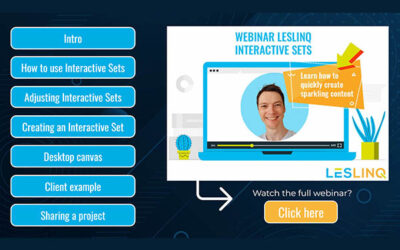
Watch the Interactive Summary of our Webinar
Wondering how to create microlearnings and interactive videos even faster with Interactive Sets in LesLinq? Especially for you we have made an interactive summary of our webinar 'Speed up the creation of eLearning bites with Interactive Sets'.Click here to open the...
New: 14 Interactive Sets available in LesLinq
We're excited to introduce 14 new Interactive Sets in LesLinq! These Interactive Sets allow you to create eLearning bites quicker and easier than ever before. You'll find the new Interactive Sets in your LesLinq account. All sets contain basic animation functionality...
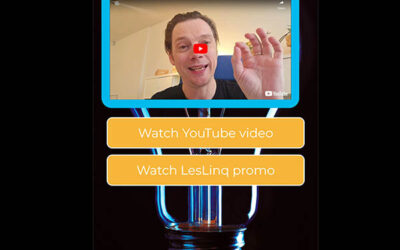
Sharing YouTube videos without viewing advertisements
Do you want to share YouTube videos without showing advertisements? With LesLinq you can! Our handy tool allows you to integrate YouTube videos without ads or video recommendations and without the option to click and leave to YouTube itself. This works both for public...
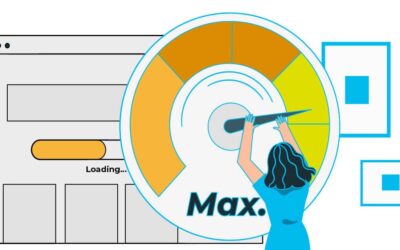
Speed up your LesLinq project by optimizing your images
Online, every second counts. No one wants to wait for a page to load. That's why it's so important that your LesLinq project loads quickly. Fortunately, you can influence this yourself. By using images that are optimized for web. It is logical that an image of 7 MB...

Creating eLearning bites or microlearnings? Use these 5 tips to make them a success
Spreading knowledge and building skills is more important today than ever. However, with the current abundance of information, it is quite complicated to create relevant and engaging eLearning bites that hold the student's attention. Especially when creating short...
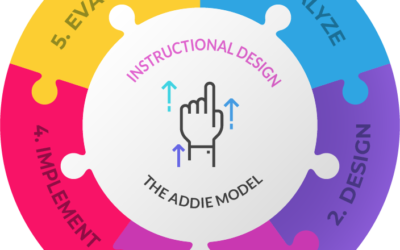
Instructional Design and the ADDIE model for creating effectieve e-learning programs
The ADDIE model is one of the most popular models for Instructional Designers to create effective e-learning programs
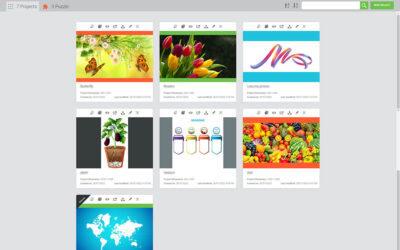
The new features of LesLinq 2.0
LesLinq 2.0 is out! This new version includes significant enhancements and new features that will help you create sparkling content better than ever before. We've listed all the features of LesLinq 2.0 below. General improvements • Enhanced user interface• Optimized...

LesLinq launches new version: creating eLearnings and interactive content is now easier than ever before
LesLinq, the online tool for creating and sharing interactive lessons, videos and animations, has launched a new version. LesLinq 2.0 includes new features and enhancements that make the creation of sparkling content better than ever before. What's new? In recent...

Instructional Design for eLearning: 4 reasons why you should use it
When creating effective eLearning content, you cannot get around the concept of Instructional Design. It is the process of creating materials and experiences to optimize learning. Instructional Design serves as the foundation for effective, inspiring and engaging...
New: Interactive Sets
Save various elements (such as images, buttons, audios, videos, etc) including the added interactivity as a set and reuse it in multiple projects. super handy!

LesLinq chosen by ThiemeMeulenhoff as a tool for digital content enrichment
For educational publishers, creating interactive content is becoming increasingly important to keep students focused. ThiemeMeulenhoff has now selected LesLinq as a tool for digital content enrichment.
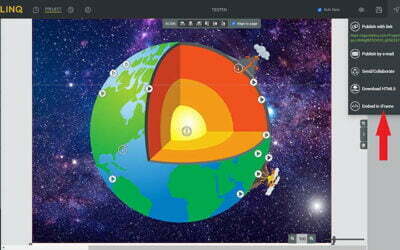
Add a LesLinq creation to aNewSpring? It’s simple.
With LesLinq you can easily create an interactive lesson, animation or interactive video and put it in aNewSpring. In this article, we'll show you how this works. Curious about what you can make with LesLinq? View some examples here. Curious about what you can make...

New features in LesLinq
New features in LesLinq: PowerPoint import, Gif upload, custom user interface and new templates.

Link interactive content from LesLinq to Maatos or Soofos? It’s simple.
Do you use Maatos or Soofos to create courses and sell online? Want to add more interactivity to this? For example an animation, an image with clickable hotspots or an interactive video? Then we have good news for you. You can link interactive content from LesLinq to...

Beautiful new functionalities in LesLinq
We have not been sitting still in recent months. Our team has worked hard to add extra functionalities to LesLinq, the tool for interactive lessons, videos and animations. We have listed them for you below. Improved import of Adobe Illustrator files It was already...
Is LesLinq right for you? Let's find out!
We'd be happy to give you a LesLinq tour, without any obligation. Let's dive into your microlearning wishes and see if LesLinq is the right solution for you.